

Office printer service is one of those things most businesses put off longer than they should. The printer jams, someone gives it a hard restart, it works for another week, and the cycle repeats. But there’s a real difference between a minor hiccup and a sign that something deeper is wrong. Knowing that difference can save you from a full breakdown at the worst possible moment, and it can save you money in the long run too.
We’ve been helping businesses across northeastern Minnesota sort through exactly this question for over three decades. Here’s what we’ve learned about reading the warning signs your printer is sending you before things go sideways.
When a Restart Actually Works (and When It Doesn’t)
Restarting a printer is a perfectly reasonable first response to a lot of small issues. A one-time paper jam, a print job that got stuck in the queue, a connection that dropped briefly. These things happen, and cycling the power usually clears them up without any intervention needed.
The problem is when a restart becomes the solution you reach for every single time. If you’re restarting your printer two or three times a week just to keep it functional, that’s not a quirk. That’s a pattern, and patterns like that tend to get worse, not better. At that point, a professional eye is worth far more than another power cycle.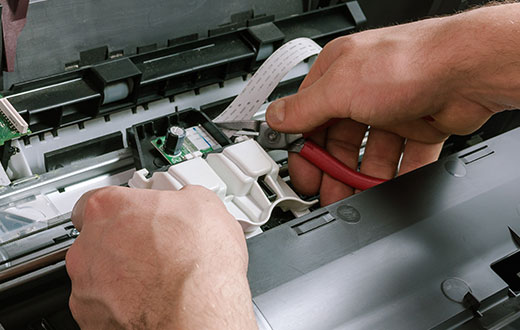
Signs Your Printer Is Telling You Something Is Wrong
Some symptoms are easy to dismiss because the printer still technically works afterward. But there are a handful of signs that consistently point to a repair need rather than a quick fix.
Recurring paper jams in the same spot. A jam that happens once is usually just a misfed sheet. A jam that happens in the same location repeatedly often means a roller, sensor, or feed mechanism is worn or misaligned. The paper path doesn’t lie.
Print quality that keeps degrading. Streaks, lines, faded patches, or smearing that gets gradually worse over time usually point to issues with the drum, fuser, or toner system. Cleaning the glass or replacing a toner cartridge might help briefly, but if the problem comes back fast, something mechanical needs attention.
Unusual noises. Grinding, clicking, or squealing sounds that weren’t there before are almost always mechanical. Printers and multifunction units have a lot of moving parts, and when one of them starts to fail, it tends to make itself known. Don’t ignore that.
Error codes that keep returning. Most modern office printers and copiers display error codes for a reason. If you’re clearing the same code repeatedly, the underlying cause hasn’t been addressed. Looking up the code can tell you roughly what area of the machine is involved, but fixing it properly usually takes a technician.
Slow performance that gets progressively worse. A printer that used to hum through a job in seconds and now takes several minutes to get started could have a memory issue, firmware problem, or internal hardware concern. Slowdowns that creep up gradually rarely resolve on their own.
What to Do Before You Call for Help
A few simple checks are worth running before you pick up the phone. Make sure drivers and firmware are up to date, confirm the printer isn’t low on toner or ink, and check that no partial print jobs are stuck in the queue. Clear out any visible debris from the paper path. If the problem clears up and stays gone, great. If it comes back within a day or two, that’s your answer.
For businesses in Hibbing, Virginia, Eveleth, Grand Rapids, Chisholm, and surrounding areas, we’d also gently suggest not waiting until the printer is completely dead to call someone. By that point, what might have been a straightforward repair can turn into a much bigger situation, especially if the machine is handling high print volumes every day.
Why Response Time Matters More Than People Realize
A broken printer can bring certain workflows to a near-complete stop. That’s why we built our 3 or FREE Service Guarantee around speed. If we can’t get a technician on-site within three hours of your call, your next month’s service billing is free. It’s a commitment we take seriously, and it reflects how seriously we think businesses should take printer downtime.
As an authorized Toshiba dealer, we work with a wide range of office equipment, from single-function printers to full multifunction units that copy, print, and scan. We know these machines well, and we know what it takes to get them back in service quickly.
If your printer is giving you grief and you’re not sure whether it needs a repair or a replacement, give us a call or drop us an email. We’re happy to talk through what you’re seeing and help you figure out the right next step.